
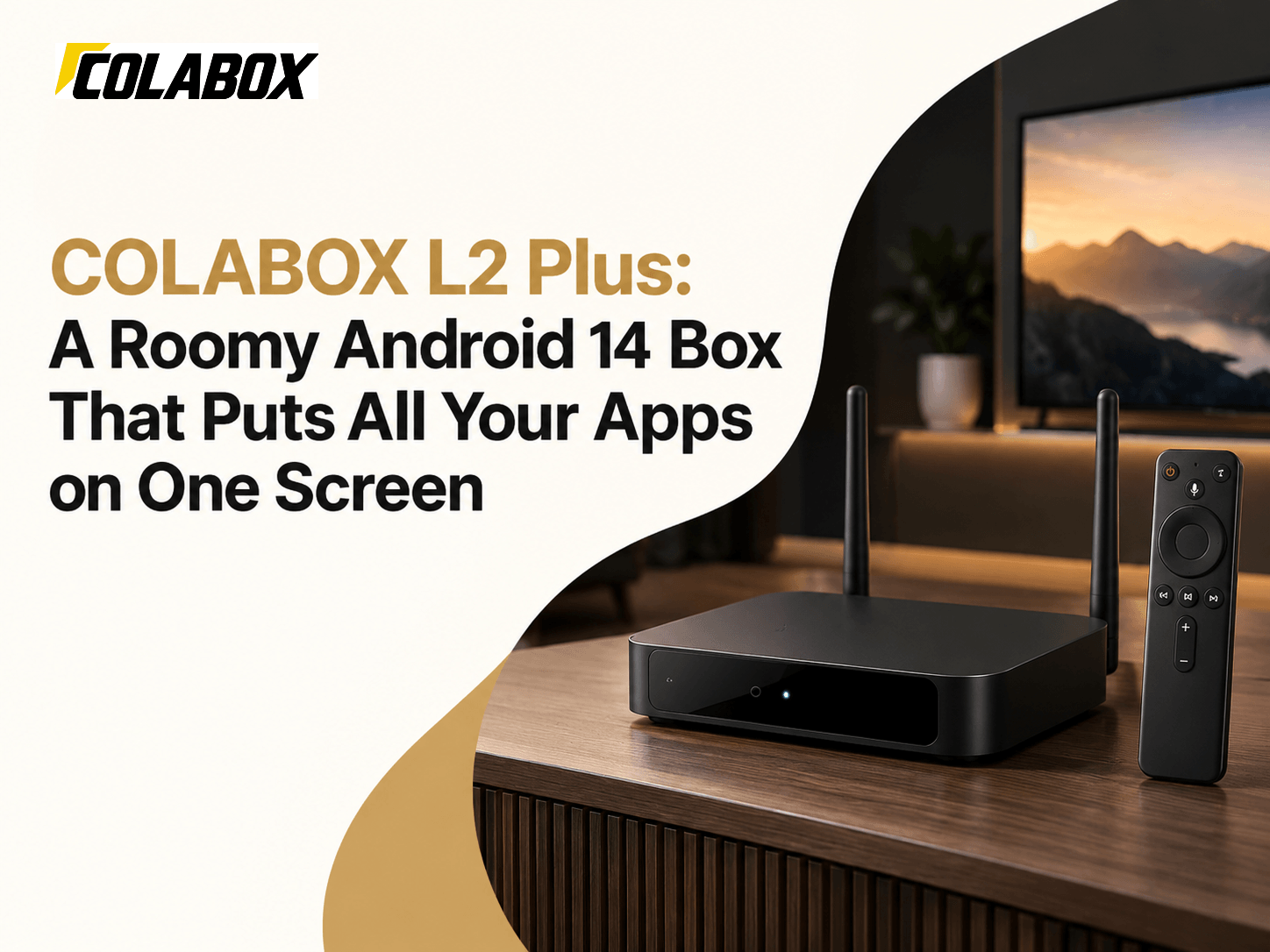
What You Save With COLABOX Right Now
I went looking for a coupon code first. There isn't one on the site this week. Not on the homepage, not on either product page, not in the policy pages.
What COLABOX does have is a short list of buying perks. And honestly, for a streaming box, these matter more than a 10% code.
| Perk | What the COLABOX Site Says |
|---|---|
| One-time price | L2 Plus $309.00, COLASTICK V1 Plus $249.00 |
| Service plan | No required COLABOX service plan |
| Shipping | From a California warehouse, 3 to 5 business days in the US |
| Returns | 30 days, with all parts and original packaging |
| Warranty | 1 year on hardware defects, from the delivery date |
| Payment | Visa, Mastercard, Amex, Apple Pay, Google Pay and more |
The site puts a typical cable plus streaming bill at $178 a month. Your bill is your bill, so plug in your own number. Also keep in mind that third-party apps can still charge their own fees.
Box or Stick? Choosing Your COLABOX Player
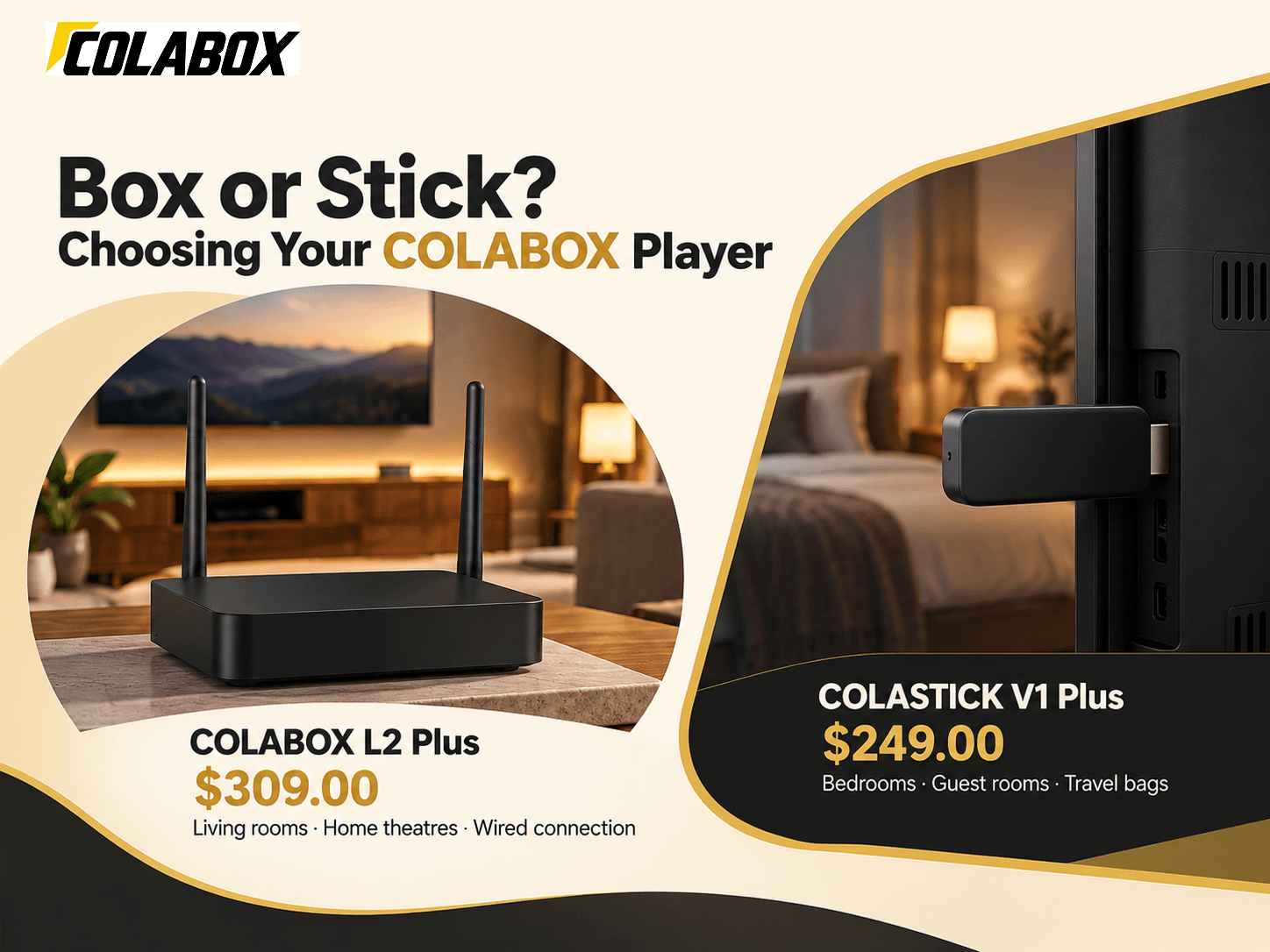
COLABOX keeps the lineup small. Two players. That makes the choice pretty easy.
1. COLABOX L2 Plus
Price: $309.00 | Stock: 499 units listed
- Android 14 with 4GB RAM and 64GB storage
- Dual-band Wi-Fi 5 plus a wired Ethernet port
- Up to 4K output with HDR10+, H.265 and AV1 decoding
- HDMI, USB, LAN, AV out, optical audio and TF card slots
This is the flagship. The 64GB of storage is the big deal here. Most streaming sticks fill up after a handful of apps, and this one has room to spare. The optical audio port is a nice touch if your soundbar is a few years old. Remote, HDMI cable and power adapter come in the box.
Best For: Living rooms, home theatres and anyone who wants a wired connection.
2. COLASTICK V1 Plus
Price: $249.00 | Stock: 16 units listed
- Compact stick that plugs straight into an HDMI port
- Android 14 with up to 4K output on compatible screens
- Remote-first menus that are easy from the couch
- Same 30-day returns and 1-year warranty
Smaller. Cheaper. Hides behind the TV. It works with TVs, monitors and projectors that have HDMI. Only 16 were listed in stock when we checked, so it may sell out first.
Best For: Bedrooms, guest rooms and travel bags.
How COLABOX Stacks Up Against Big-Name Streamers
Streaming boxes got pricier this fall. Amazon, Google and NVIDIA all raised list prices between August and October 2026, and Google and NVIDIA both pointed to higher part costs. Here is where things stand now.
| Device | Price (Oct 2026) | RAM | Storage | Wired Ethernet |
|---|---|---|---|---|
| COLABOX L2 Plus | $309.00 | 4GB | 64GB | Yes, built in |
| NVIDIA Shield TV Pro | $299.99 | 3GB | 16GB | Yes, built in |
| Google TV Streamer | $149.99 | 4GB | 32GB | Yes, built in |
| Fire TV Stick 4K Max | $84.99 list | 2GB | 16GB | Adapter needed |
So yes, COLABOX sits at the top on price. But look at the storage column. It has four times the space of the Shield TV Pro and double the Google TV Streamer. It also ties the Google box for the most RAM in this group, and it adds optical audio and a TF card slot. If you install a lot of apps, that extra room is what you are paying for.
What Comes in the Box
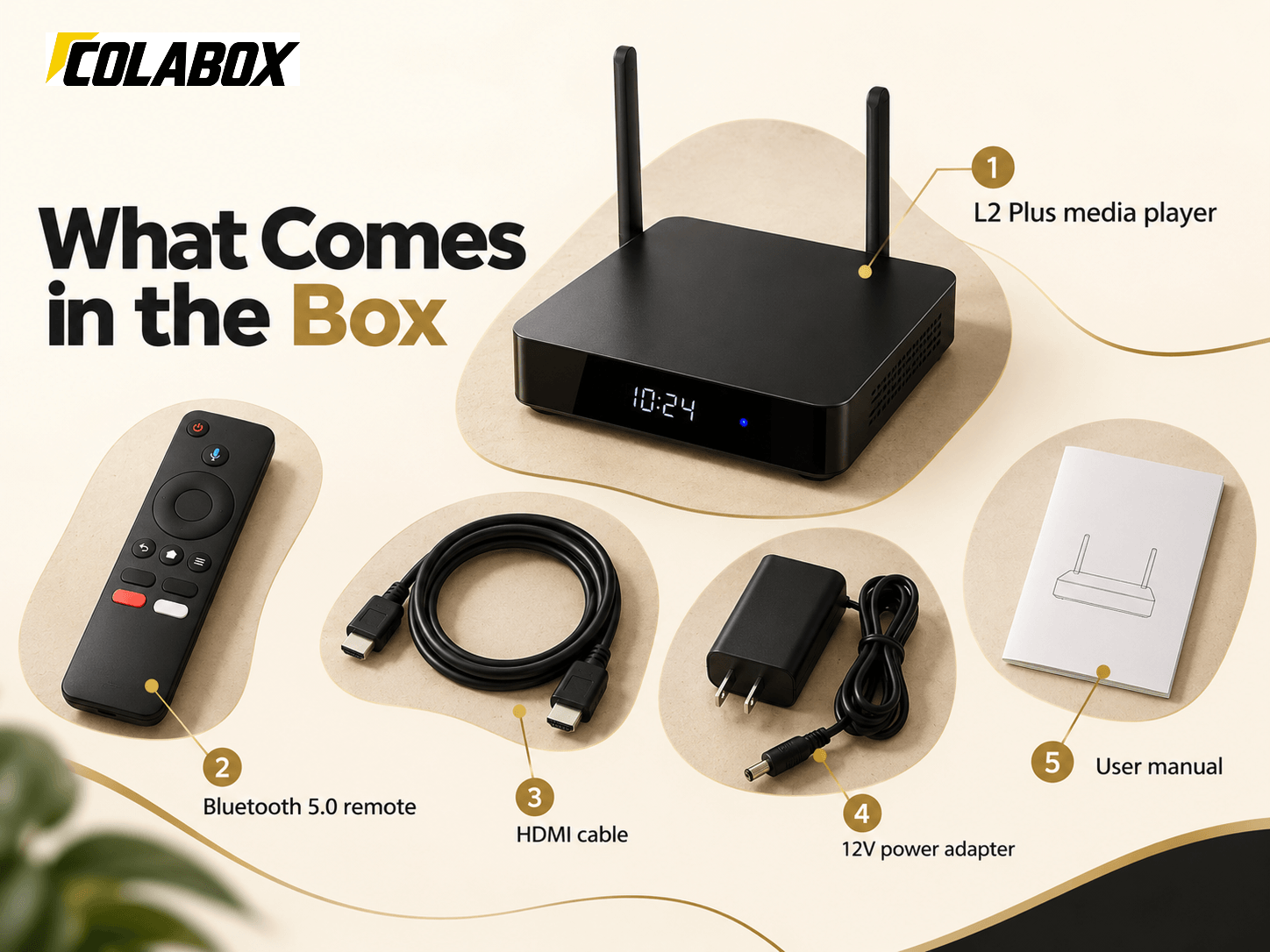
Opening the L2 Plus box takes about ten seconds because there isn't much clutter. Here is the full list from the product page:
- The COLABOX L2 Plus media player
- A remote control with Bluetooth 5.0 support
- An HDMI cable
- A 12V power adapter
- A user manual
Inside the player is a GK63 quad-core 64-bit ARM Cortex-A55 chip. You don't need to remember that name. What it means for you is smooth menus and quick app launches for everyday streaming. The remote also has shortcut buttons, so your most-used apps are one click away.
Setting It Up in About a Minute
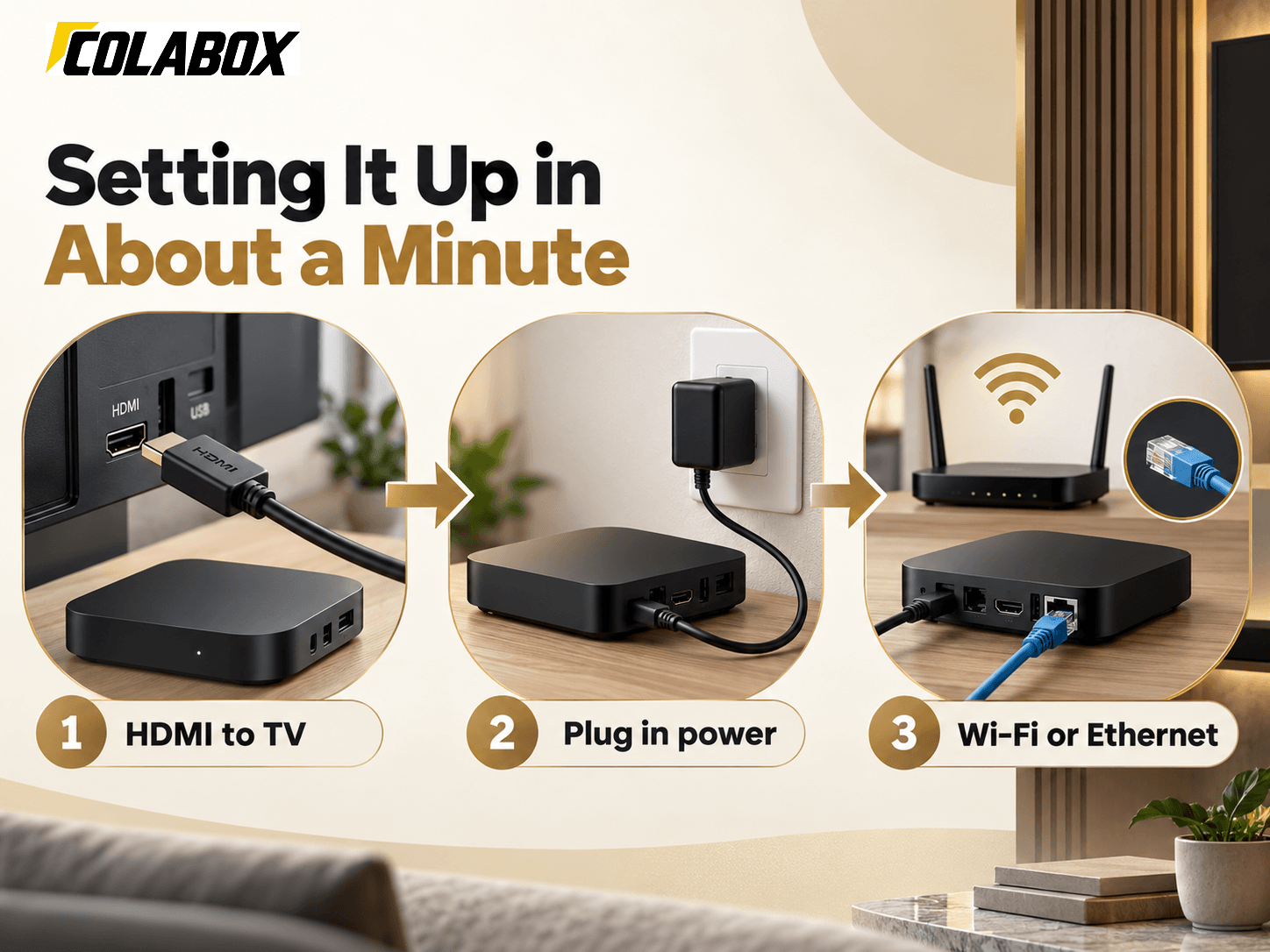
COLABOX says setup takes 60 seconds. That sounds like marketing, but the steps really are short.
Plug the HDMI cable into your TV. Plug in the power. Pick Wi-Fi or Ethernet. That's it. The box then walks you through display and audio settings for your TV.
A small tip from the brand: have your Wi-Fi password ready before you start, and connect HDMI first. For 4K, you want at least 25 Mbps of internet speed. An English user manual comes in the box, and there is a full setup guide on the site too.
Wi-Fi or cable? If your router sits in the same room, plug in the Ethernet cable. A wired line keeps 4K playback steadier, especially in homes with lots of phones and laptops on the same network. If the router is far away, the dual-band Wi-Fi works fine. Just pick the 5GHz band when you can.
Why Cord Cutters Pick COLABOX
- People tired of renting a cable box and paying for it every single month.
- Families who want one remote and one home screen for everyday watching.
- App lovers who keep running out of room on small 8GB or 16GB sticks.
- Projector owners who need a simple HDMI box with a wired network port.
- Spanish-speaking homes that like filtering the channel directory by language in seconds.
- Travellers who want a small stick they can pack and plug in anywhere.
Getting Help From COLABOX Support
Support is easy to reach. You can email support@colaboxus.com or message the team on WhatsApp at +1 (412) 906-3598. The site lists 24/7 technical support.
For a warranty claim, send your order number, your TV model and a photo or short video of the problem. The team tries remote troubleshooting first. If the hardware is truly faulty, they help arrange a repair or a replacement. Approved refunds go back to your card, and the policy says to allow 5 to 10 business days.
One more thing. COLABOX asks you to buy only from authorised sellers if you want official warranty service. Buying straight from the brand site covers you.
Frequently Asked Questions
Is COLABOX legal to own in the US?
Yes. The L2 Plus and COLASTICK run standard Android 14, and the devices are legal consumer electronics. What you watch depends on the apps you install, so stick with licensed services you trust.
Do I have to pay COLABOX every month?
No. There is no required COLABOX service plan. Some apps you add may have their own fees or accounts.
Does it really play 4K?
The brand lists 3840x2160 resolution, HDR10+ and AV1 decoding. You need a 4K TV and about 25 Mbps of internet speed.
What if the box stops working?
The 1-year hardware warranty covers defects like power issues, port failures and internal faults. Drops, spills and rooting are not covered.
Where does my order ship from?
From the COLABOX warehouse in California. Orders can ship within 24 hours, and US delivery usually takes 3 to 5 business days. You can track your package with the order number.
Can I send it back if I change my mind?
Yes, within 30 days. Include the remote, cable, adapter, guide and box. For change-of-mind returns, you pay the return shipping.
Final Verdict
The COLABOX L2 Plus is a strong pick if you want lots of storage, Android 14 and a wired port in one small box. You pay once, add the legal apps you already use, and keep everything on one screen. Want something for the bedroom too? The COLASTICK V1 Plus is the easy second buy. For most homes, though, start with the L2 Plus.