

Losing an important file is one of those digital problems that can turn an ordinary day into a stressful one.
Maybe it's a folder of photographs that disappeared from an SD card. Maybe it's a work document that was accidentally deleted, or an external hard drive that suddenly isn't showing the files you expected.
Whatever the situation, the immediate question is usually the same: Is there any way to get those files back?
That's where EaseUS comes in.
The software company has spent more than two decades developing tools designed to help people recover, protect, and manage their digital information. One of its best-known products, EaseUS Data Recovery Wizard, focuses specifically on retrieving files that have been lost or accidentally deleted.
And in 2026, the software continues to evolve, with updates aimed at improving recovery capabilities, storage-device support, and the overall experience.
After taking a closer look at EaseUS and its latest developments, what interests me most is how the brand is making an otherwise technical process more accessible to everyday computer users.
The Brand Behind the Software: What Is EaseUS?

EaseUS is a software company founded in 2004, with a product portfolio built around data recovery, backup, disk management, and computer utilities.
Over the years, the brand has developed several recognizable software solutions, including Data Recovery Wizard, Partition Master, Todo Backup, and Todo PCTrans.
While these products address different needs, they share a common purpose: helping people manage and protect the information stored on their devices.
Data Recovery Wizard is particularly interesting because it addresses a problem that can affect almost anyone.
Files can disappear through accidental deletion, formatting, software issues, or problems with storage devices.
EaseUS has built its recovery software around helping users investigate these situations without requiring extensive technical knowledge.
And after more than two decades in the software industry, data recovery remains a central part of the brand's identity.
What Exactly Does EaseUS Data Recovery Wizard Do?
At its core, EaseUS Data Recovery Wizard is software designed to locate and recover files that are no longer accessible through ordinary methods.
The product is available for both Windows and Mac, with support for a wide variety of file types and storage devices.
That includes:
- Documents, photographs, videos, and audio files.
- Internal hard drives and external storage devices.
- USB flash drives and memory cards.
- Compatible SSDs and other supported storage media.
The software can also investigate certain data-loss situations involving formatted drives, deleted partitions, and inaccessible storage.
What makes this particularly useful is that file loss doesn't always mean the underlying data has disappeared immediately.
In some situations, information may remain on the storage device even though the operating system no longer displays it normally.
EaseUS Data Recovery Wizard scans supported storage locations to identify data that may still be recoverable.
Of course, recovery is never guaranteed. The condition of the device, whether the data has been overwritten, and the circumstances surrounding the loss all influence the outcome.
What's New With EaseUS Data Recovery Wizard in 2026?
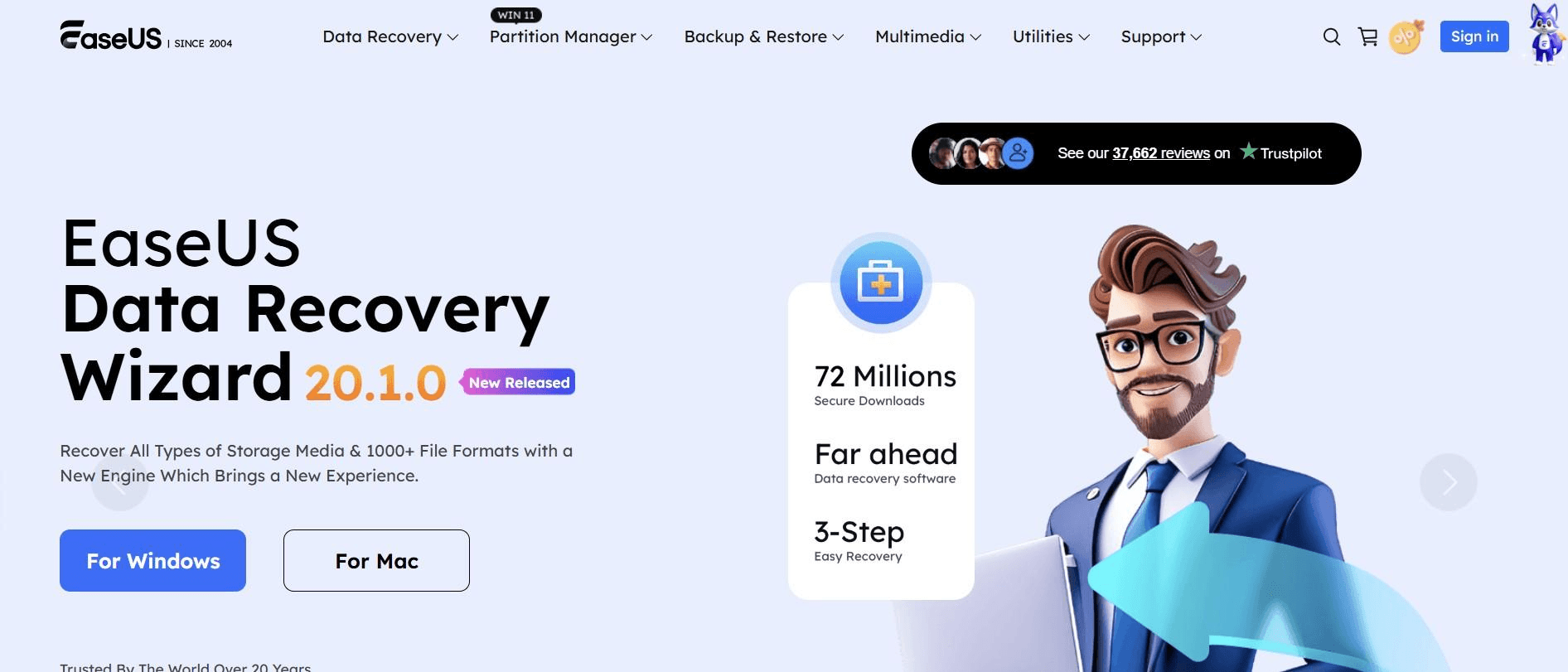
One of the reasons I think EaseUS deserves attention this year is that the brand hasn't stopped developing its recovery technology.
Its official 2026 release history highlights several improvements designed to make the software more capable and informative.
Improved SD Card Recovery
In August 2026, EaseUS introduced SD Card Rescue functionality for Windows, designed to address SD cards that are inaccessible, unrecognized, or prompting users to format them.
The feature helps determine whether access can be restored or file recovery should be attempted.
File Recoverability and Disk Health Information
A July 2026 Windows update introduced file recoverability indicators and disk health information, helping users better assess file status and potential storage-device risks before restoring data.
More Reliable Recovery Scans
In September 2026, EaseUS released improvements focused on responsiveness, device detection, and reliability when working with large datasets or long-running recovery tasks.
The Mac edition has also received updates, including improvements to Time Machine recovery, APFS scanning, SD card recovery, and file previews.
For me, these developments show that EaseUS is continuing to refine its software around the practical challenges users encounter.
Rather than simply offering a basic recovery scan, the brand is introducing tools that help users better understand the condition of their files and storage devices.
How Does EaseUS Data Recovery Wizard Work?
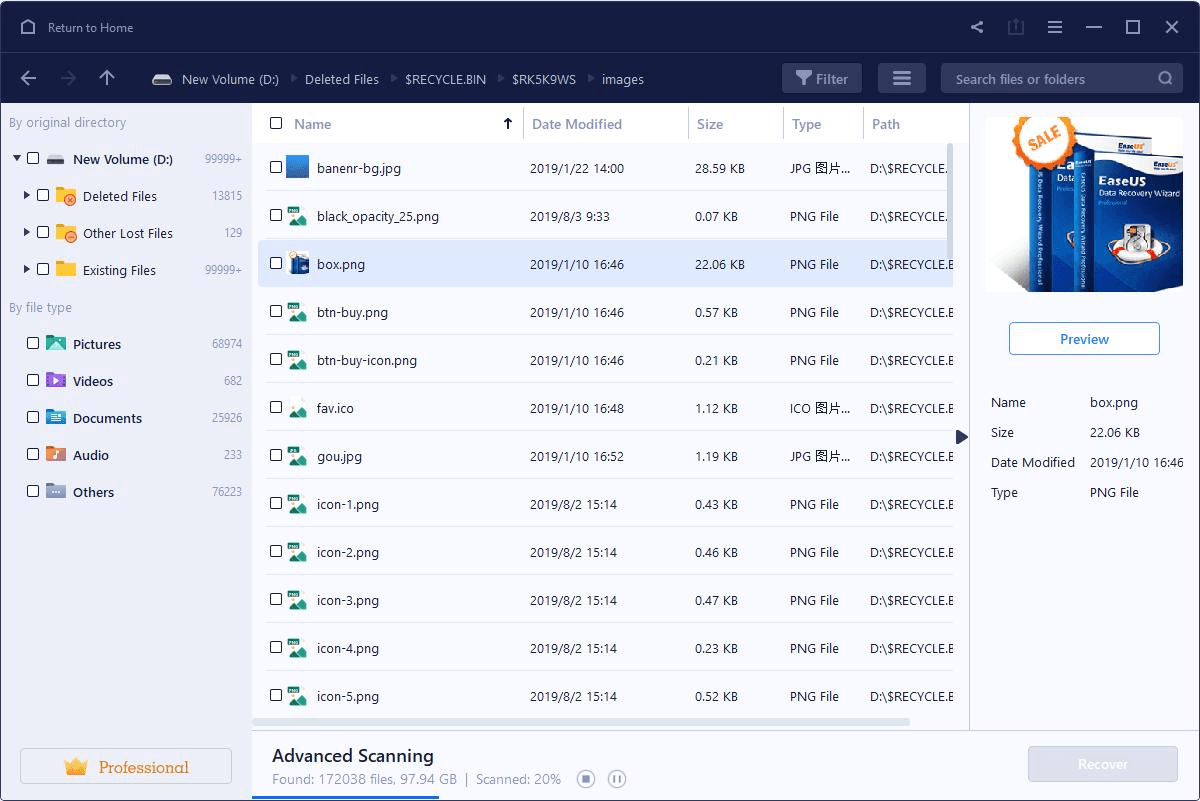
One of the most approachable aspects of EaseUS Data Recovery Wizard is its recovery process.
Instead of requiring users to navigate complicated technical commands, the software organizes the experience around three main stages.
Step 1: Select the Location
Users choose the drive or storage location where the missing files were originally stored. This could be a computer drive, USB device, or connected memory card.
Step 2: Scan for Lost Data
EaseUS scans the selected location and searches for files that may still be recoverable. Search and filtering tools help users navigate the results.
Step 3: Preview and Recover
Users can preview supported files before selecting what they want to restore. Recovered files should be saved to a different drive to reduce the risk of overwriting remaining data.
I particularly appreciate the preview functionality.
When someone is trying to retrieve an important photograph or document, finding a list of file names isn't always enough.
Being able to inspect supported files before attempting recovery can help users determine whether they've located the information they need.
From Deleted Documents to Lost Photos: Where EaseUS Can Help
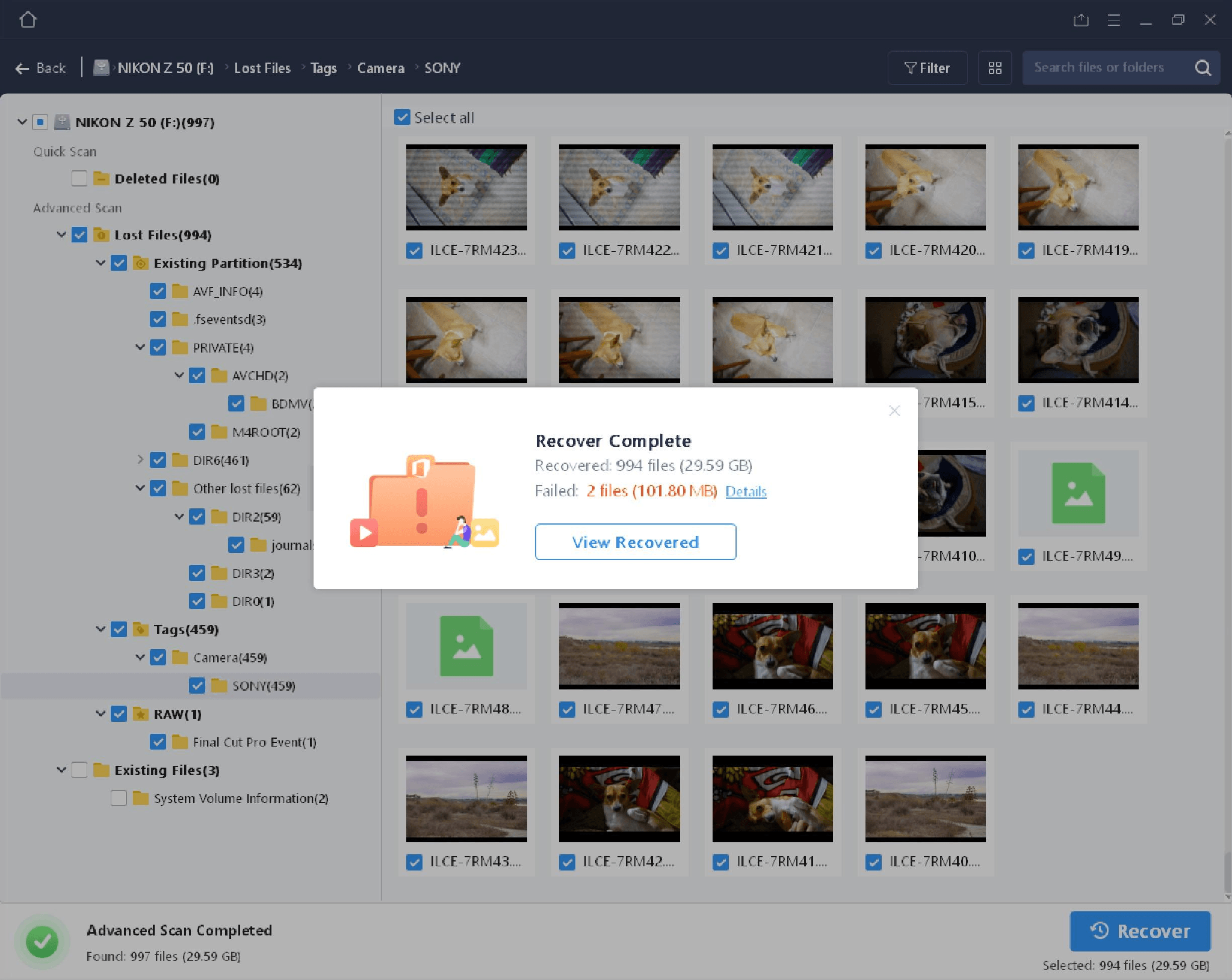
What I find interesting about EaseUS Data Recovery Wizard is the variety of situations the product is designed to address.
For someone working with photographs, that might involve trying to retrieve images from a formatted memory card.
For a student, it could mean searching for an accidentally deleted project.
For someone managing professional documents, it might involve investigating files that are no longer visible on an external hard drive.
The software also supports certain recovery scenarios involving damaged file systems and lost partitions.
And with its 2026 improvements to SD card handling and media recovery, EaseUS continues to develop capabilities relevant to photographers, videographers, and other people who work with removable storage.
However, there's an important distinction between a recoverable software-related problem and serious physical device damage.
If a drive is physically failing, continuing to use it can make the situation worse. In those cases, professional data recovery services may be more appropriate.
EaseUS provides tools for investigating recoverable data, but no software can guarantee that every lost file will be restored.
EaseUS Data Recovery Wizard Free vs. Pro
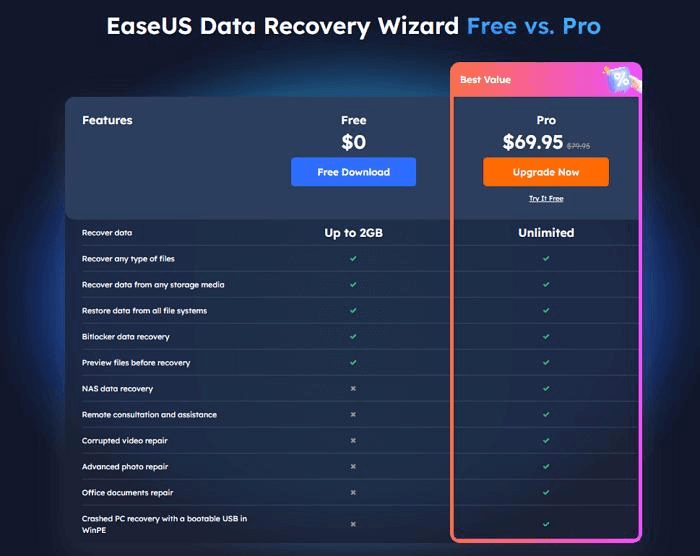
Another part of EaseUS's offering worth exploring is its free and paid software options.
The company provides Data Recovery Wizard Free, allowing eligible users to recover up to 2 GB of data under its current free-edition terms.
That makes the free version a potential starting point for someone trying to retrieve a relatively small number of files.
The paid Pro edition is designed for users who need to recover larger amounts of data or access additional features.
| Feature | Free | Pro |
|---|---|---|
| Scan for lost files | Yes | Yes |
| Preview supported files | Yes | Yes |
| Recover files | Up to 2 GB | No equivalent free-tier data cap |
| Additional advanced features | Limited | Available, depending on edition |
| Paid license | Not required | Required |
One detail worth knowing is that EaseUS distinguishes between its Free and Trial editions.
The Trial edition can be used to scan and preview files, but it doesn't necessarily include the same free recovery allowance.
I think that's an important consideration for anyone evaluating the software.
Before upgrading, users can investigate whether their missing files appear in the scan results and whether the preview provides useful evidence that the files remain intact.
Purchasing a license does not, however, guarantee successful recovery.
Who Is EaseUS Data Recovery Wizard Best For?

After exploring the product, I see EaseUS Data Recovery Wizard as particularly relevant to people who regularly store important information across multiple devices.
That includes students, home computer users, photographers, freelancers, and professionals managing digital documents.
The software may be especially useful when files have been accidentally deleted, storage devices have been formatted, or information is no longer accessible through normal methods.
For someone who isn't particularly technical, the guided scanning process and file preview tools can make the experience easier to navigate.
More experienced users may appreciate the additional recovery capabilities and storage-device support available in the software.
Still, I'd always recommend checking existing backups, cloud storage, or operating-system recovery options before purchasing additional software.
In some situations, those alternatives may already provide a way to restore the missing files.
Final Verdict: Is EaseUS Data Recovery Wizard Worth Considering in 2026?

After taking a closer look at EaseUS Data Recovery Wizard, I think its biggest strength is how the brand has developed a specialized recovery product around a problem that almost anyone can recognize.
Losing important files can be frustrating, particularly when there's no obvious backup available.
EaseUS approaches that challenge with guided scanning, file previews, broad storage-device support, and free and paid recovery options.
What makes the software especially relevant in 2026 is its continued development.
Recent improvements involving SD card recovery, file recoverability indicators, disk health information, and scan reliability demonstrate that EaseUS is still investing in its core recovery technology.
Of course, recovery outcomes depend on the circumstances, and not every missing file can be restored.
But for people looking for a structured way to investigate lost documents, photographs, videos, or other important files, EaseUS Data Recovery Wizard remains a relevant software option worth exploring in 2026.