

Ways to Pay Less for DomoAI Right Now
We went through the DomoAI pricing page, tool pages, and blog on October 13, 2026. There is no promo code to hunt for. The savings are built into the plans.
- Yearly billing saves 30% or more. Basic drops from $13 to $9 a month. Pro drops from $142 to $99.
- 30 free credits at sign-up. The DomoAI blog says that it covers one 4-second Omni Reference video at 480P. Free videos carry a watermark and are for personal use.
- Team plan saves $1,548 a year. Three seats on yearly billing cost $3,564.
- A student and educator programme is linked in the site footer. Terms are on that page.
Quick math on yearly billing, using today's prices. Basic costs are $108 a year instead of $156. Standard costs $348 instead of $504. Pro costs $1,188 instead of $1,704. That is $516 back on Pro.
DomoAI Plans and Prices, One by One
Here is the full plan lineup from the DomoAI pricing page.
| Plan | Monthly | Yearly (per month) | Credits a Month | Tasks at Once | Relax Mode |
|---|---|---|---|---|---|
| Basic | $13 | $9 | 600 | 8 | No |
| Standard | $42 | $29 | 2,200 | 12 | Yes, unlimited. |
| Pro (Most Popular) | $142 | $99 | 8,000 | 20 | Yes, unlimited. |
| Team (per seat) | $142 | $99 | 24,000 shared | 32 per workspace | Yes, unlimited. |
Basic
The starter. 600 credits a month, which DomoAI puts at about 150 images or 85 videos. Clips run 5 or 10 seconds. Fine for trying ideas and posting now and then.
Standard
This is where it gets good value. 2,200 credits, about 550 images or 314 videos, plus unlimited Relax mode. At $29 a month on a yearly billing, it suits most weekly creators.
Pro
8,000 credits, about 2,000 images or 1,142 videos. Character videos stretch to 20 or 30 seconds, and Talking Avatar clips run up to 60 seconds. Priority support, too. The credit slider also offers 16,000 and 24,000 credit options.
Team
Same per-seat price as Pro, with 24,000 shared credits and 32 tasks running at once in one workspace. Built for small studios and agencies.
What Every Paid Plan Includes
- Watermark-free output
- 50+ style templates
- 4K video and 6K image upscaling
- Advanced video controls
- The option to buy extra credits, which never expire while you hold a plan
Per credit, the price falls as you go up. Basic works out to about $0.015 a credit on yearly billing, Standard to about $0.013, and Pro to about $0.012.
Relax Mode, the Unlimited Option
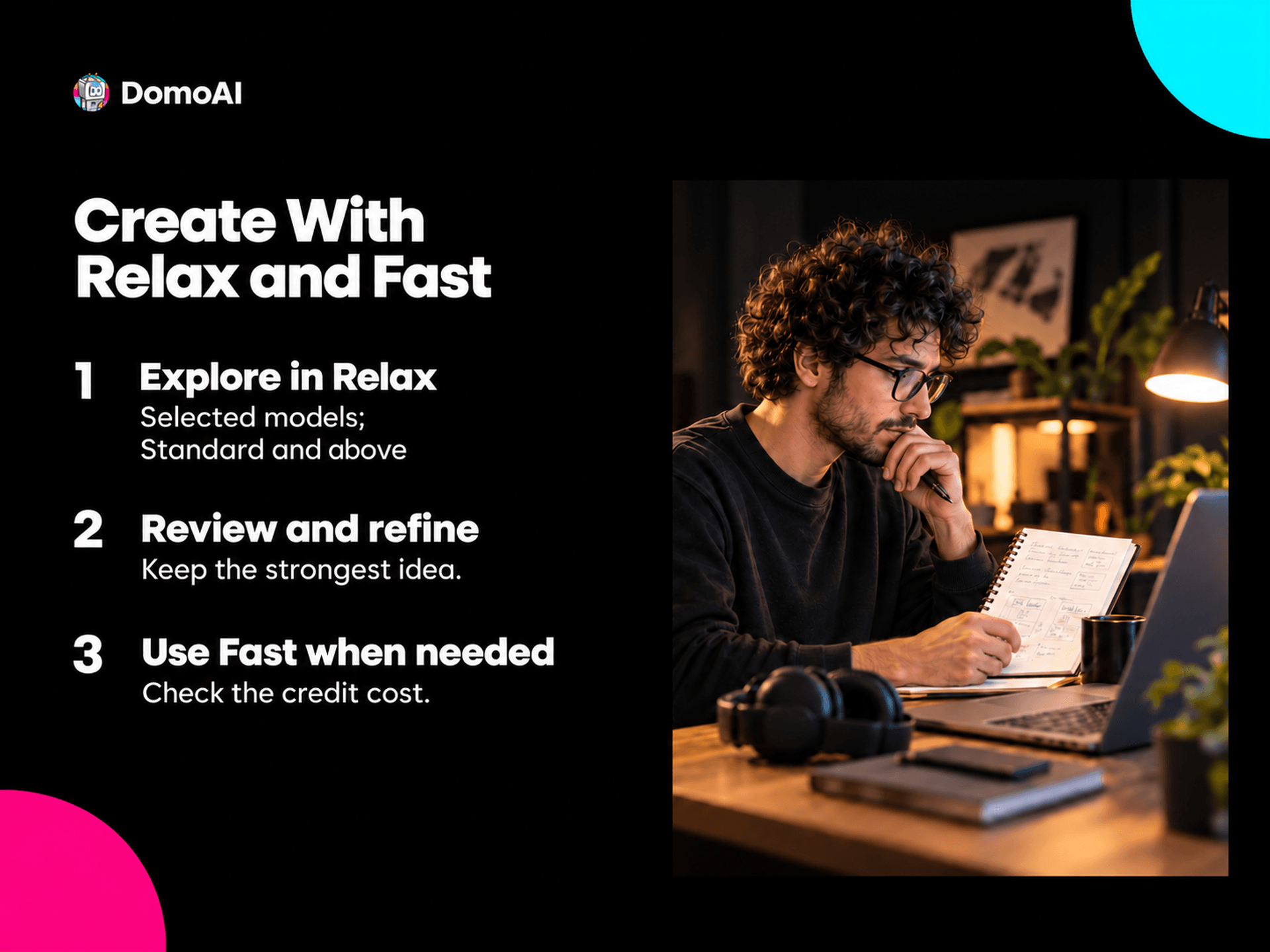
Relax mode is the feature most people miss on the pricing page. On Standard, Pro, and Team, you can generate without spending credits. It runs slower, but it does not count against your monthly total.
Models that run unlimited in Relax mode include DomoAI 2.5, DomoAI 2.4.1, GPT Image 2.5, GPT Image 2, Nano Banana 2.1, Nano Banana 2, and Nano Banana Pro.
Some jobs stay in Fast mode and use credits. That covers MiniMax H3, Seedance 2.5, Seedance 2.0, long clips, Talking Avatar, and the upscalers.
So the smart move is simple. Draft and test in Relax mode. Spend credits only on the final, high-end render.
The DomoAI Toolbox
DomoAI lists 70+ AI video models, including its own DomoAI 2.5. These are the tools that pull the most weight.
| Tool | What It Does | Key Detail |
|---|---|---|
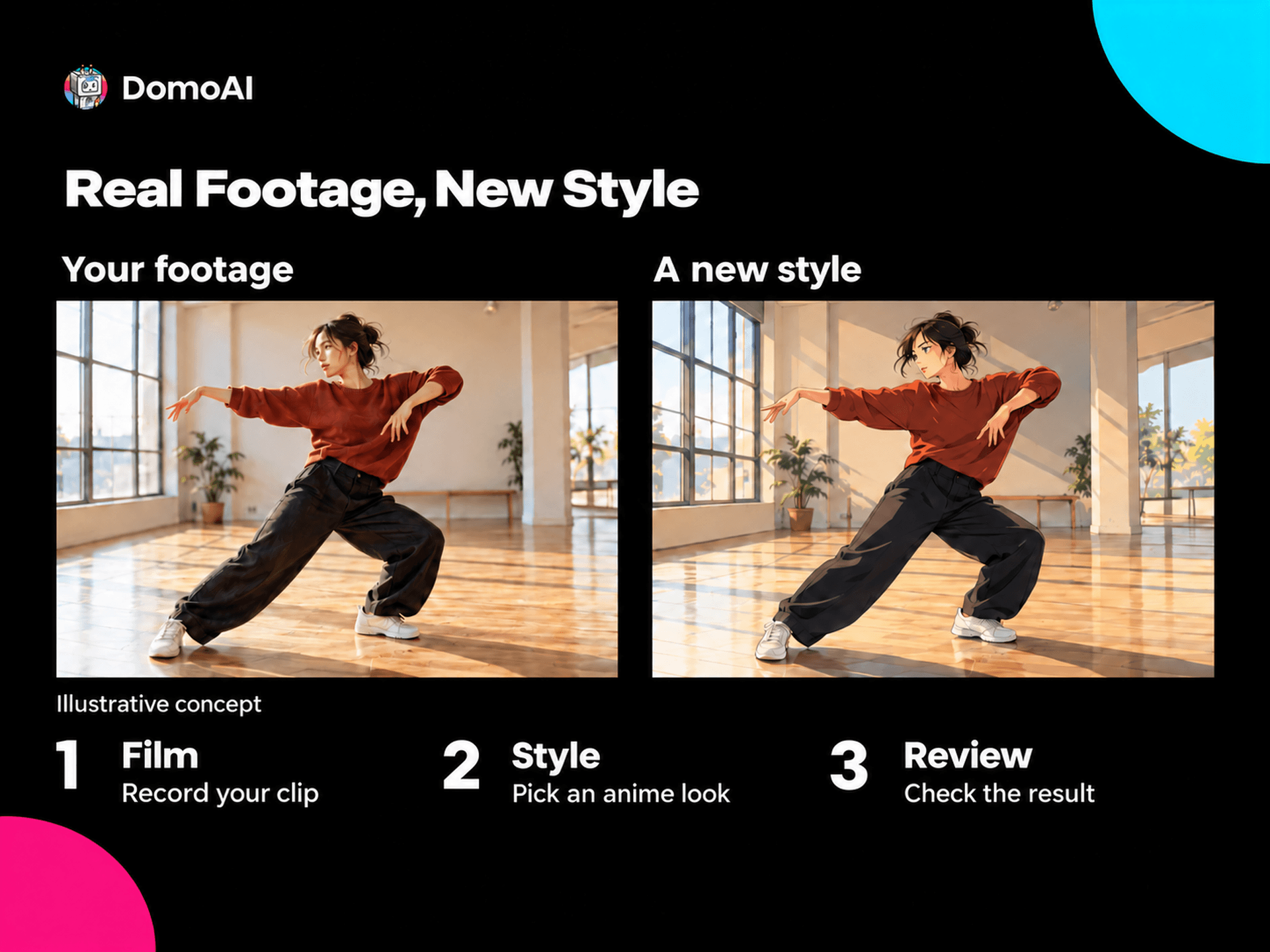
| Video to Video (Restyle) | Turns real footage into anime, 3D cartoons, pixel art, and more. | 40+ styles, clips up to 30 seconds, MP4, MOV, or AVI up to 50MB |
| Omni Reference | Builds a video from many references at once | Up to 30 images, 10 videos, and 10 audio files; 4 to 30 seconds |
| Talking Avatar | Makes a photo, drawing, or pet photo talk | MP3, WAV, or M4A audio, or text-to-speech with 6 emotions and 6 tones |
| Frames to Video | Joins images with smooth transitions | 2 to 8 images, 1 to 56 seconds |
| Character to Video | Animates one character in a new scene | Up to 30 seconds on Pro and Team |
| Image Upscaler | Sharpens images | Up to 6K |
There are quick apps as well: Face Swap, Old Photo Restoration, Image Extender, Background Remover, and an Anime Card Maker. Templates cover UGC ads, music videos, pet talk, dance trends, and explainers.
The Restyle tool is still the one DomoAI is known for. Film yourself on a phone, pick a style, and get back an anime version of the same clip. It is a fast way to make content that looks nothing like the rest of the feed.
Which DomoAI Plan Fits You?

You post a few clips a month. Basic on yearly billing at $9. Use the 30 free credits first to test.
You post every week. Standard at $29 a month. Relax mode lets you redo a clip as many times as you like.
You make ads or long avatar videos. Pro. The 60-second Talking Avatar and 30-second character clips matter here.
You run a small studio. Team. Shared credits and 32 tasks at once keep three people moving.
Why Creators Pick DomoAI
The numbers say a lot. DomoAI reports more than 5 million users since its 2023 launch. Its Discord server has 1,348,802 members as of today.
You own your work. Section 5.2 of the terms says the output belongs to you, and paid plans allow commercial use.
It is run by DOMOAI PTE. LTD., a company registered in Singapore in March 2023. Payment works through Stripe cards, Alipay, and UPI, and prices are in US dollars.
DomoAI vs Pika vs Runway vs PixVerse
Each tool counts credits in its own way, so look at plans and features, not credit totals alone.
| Feature | DomoAI | Pika | Runway | PixVerse |
|---|---|---|---|---|
| Free start | 30 credits at sign-up | $0 plan, buy credit packs | 125 one-time credits | 60 credits plus 30 a day |
| Entry plan | $13/mo, $9 yearly | $10/mo, $8 yearly | $15/mo, $12/yearly | $10/mo, $8 yearly |
| Mid plan | $42/mo, $29/yearly | $35/mo, $28/yearly | $35/mo, $28/yearly | $30/mo, $24/yearly |
| Yearly saving | 30%+ | 20% | 20% | 20% to 40% |
| Unlimited mode | Relax mode on Standard and up | No | No | No |
| Anime restyle of real video | Yes, 40+ styles | No | No | No |
Pika and PixVerse cost less to start. Runway is the pro editing suite. DomoAI is the one to pick if you want unlimited. Relax generations, and real video turned into anime.
Frequently Asked Questions
Is DomoAI free?
New accounts get 30 free credits. Free videos carry a watermark and are for personal use only.
What is the cheapest DomoAI plan?
Basic at $13 a month, or $9 a month on yearly billing.
Does DomoAI have unlimited generations?
Yes, through Relax mode on Standard, Pro, and Team. It is slower and works on selected models.
Can I use DomoAI videos for commercial work?
Yes, on paid plans. The terms say your output belongs to you.
Do unused credits roll over?
Monthly credits reset each billing cycle. Credits you buy separately never expire while you hold a plan.
Is there a DomoAI app?
It runs on the web and through its Discord server. We did not find an official phone app.
Final Verdict
DomoAI gives creators a lot for the money. Plans start at $9 a month on yearly billing, Relax mode makes Standard and above feel close to unlimited, and the anime restyle tool turns plain phone footage into something people stop to watch. Grab the 30 free credits, test a restyle, then go yearly to save 30% or more.